

Unlimited Salesforce
Make Salesforce sexy again.
Stop waiting weeks for tiny UI changes. With agent-led development on top of Salesforce, we deliver custom UIs, mobile workflows and document generation in days — not quarters.
Headswap is what your Salesforce team would build if budget and time were not the limiting factor.
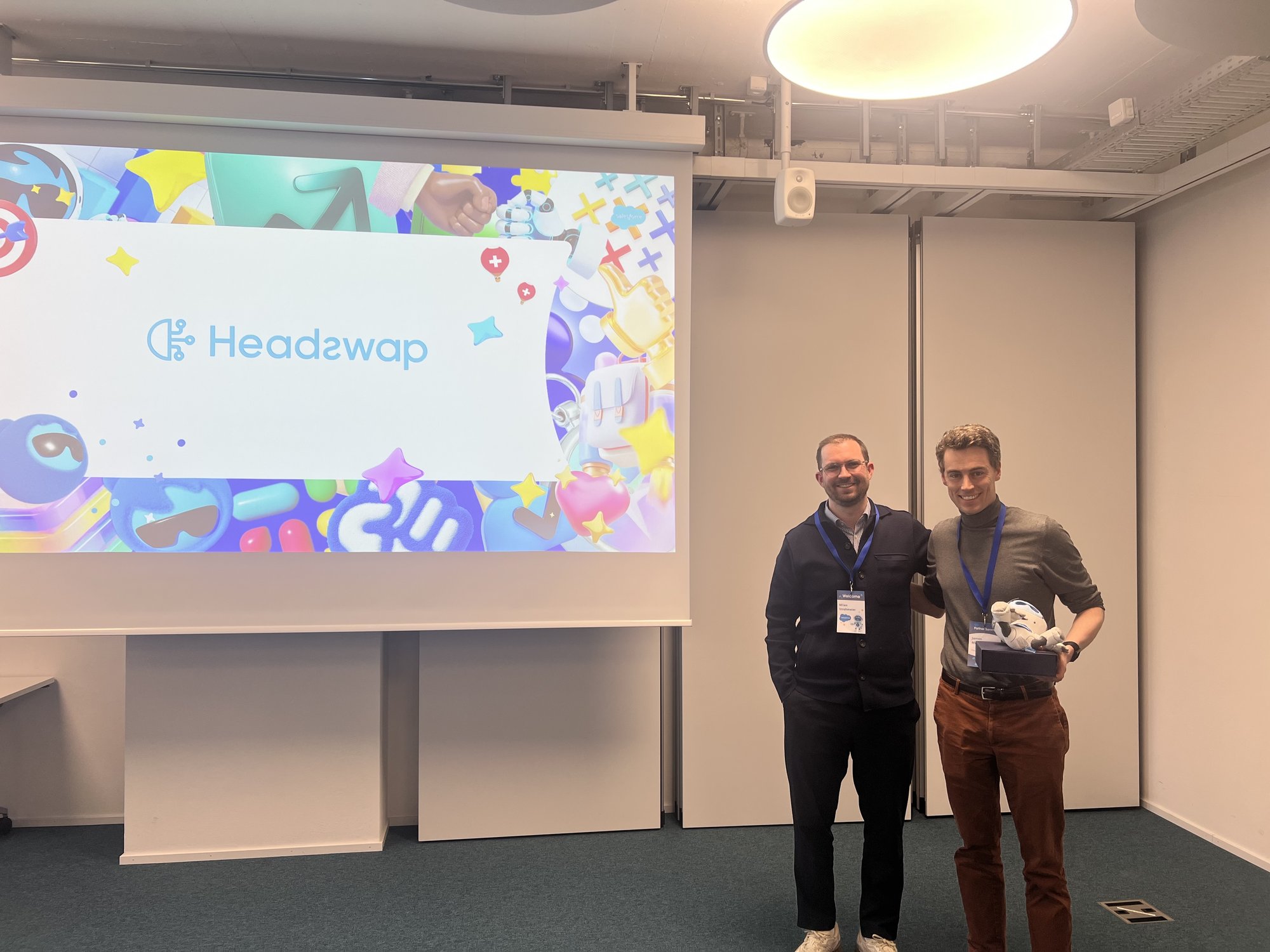
Certified Salesforce Partner
Two consecutive awards. One Zurich team.
We aren’t a Salesforce-curious agency. We’re a certified partner with two Switzerland-level awards in the last two years — recognised by Salesforce for the quality of the work we deliver to Swiss SMEs.
Same workflow, two experiences
Before Headswap. After Headswap.
A real client time-entry workflow on Salesforce. Same data, same business logic — a completely different experience for the technician, the office, and the auditor.
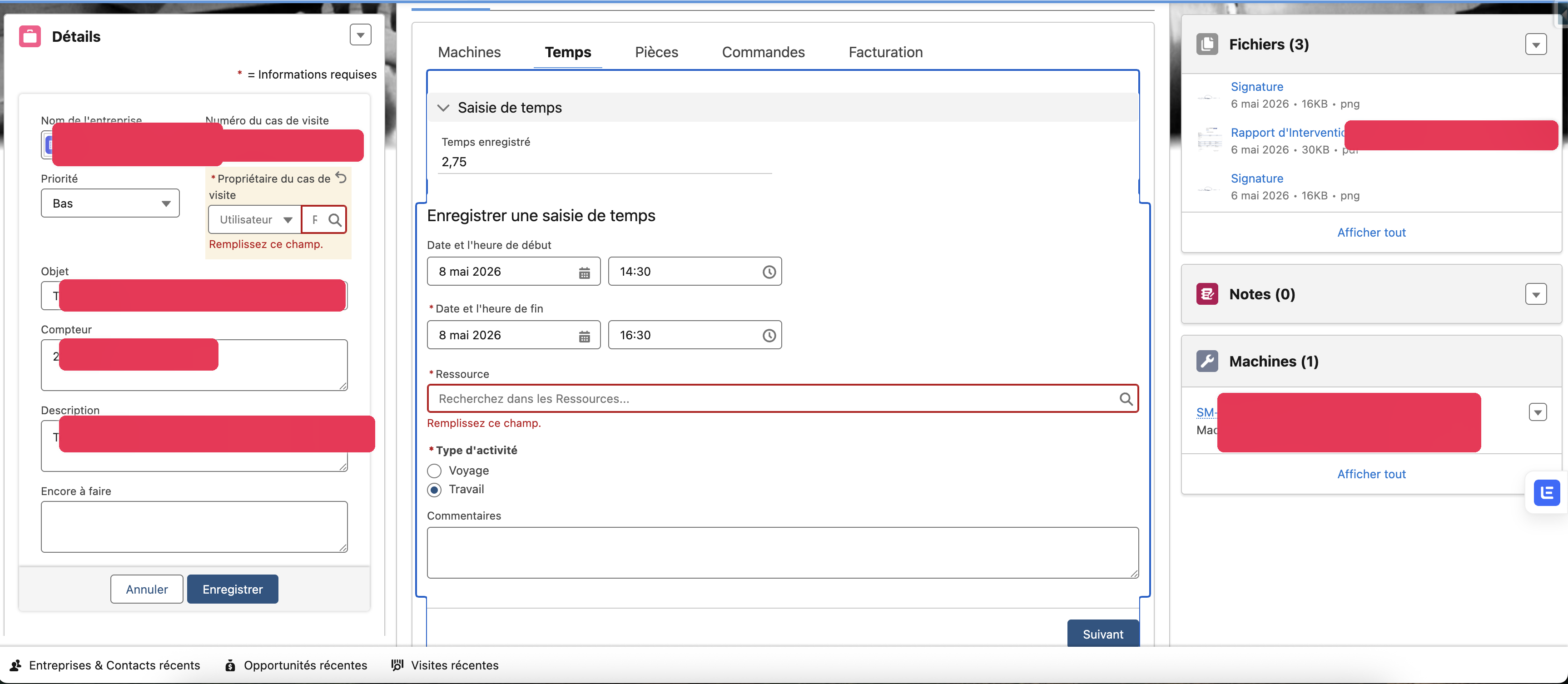
Three columns of unused fields. Five tabs of activity. A required-field warning they only see after submitting. Built for "everyone" — frustrating for everyone.
- Long scroll just to start a time entry
- Identical screen for sales, service, finance and admin
- Mandatory fields hidden inside collapsed sections
- Built on a desktop, used in the field
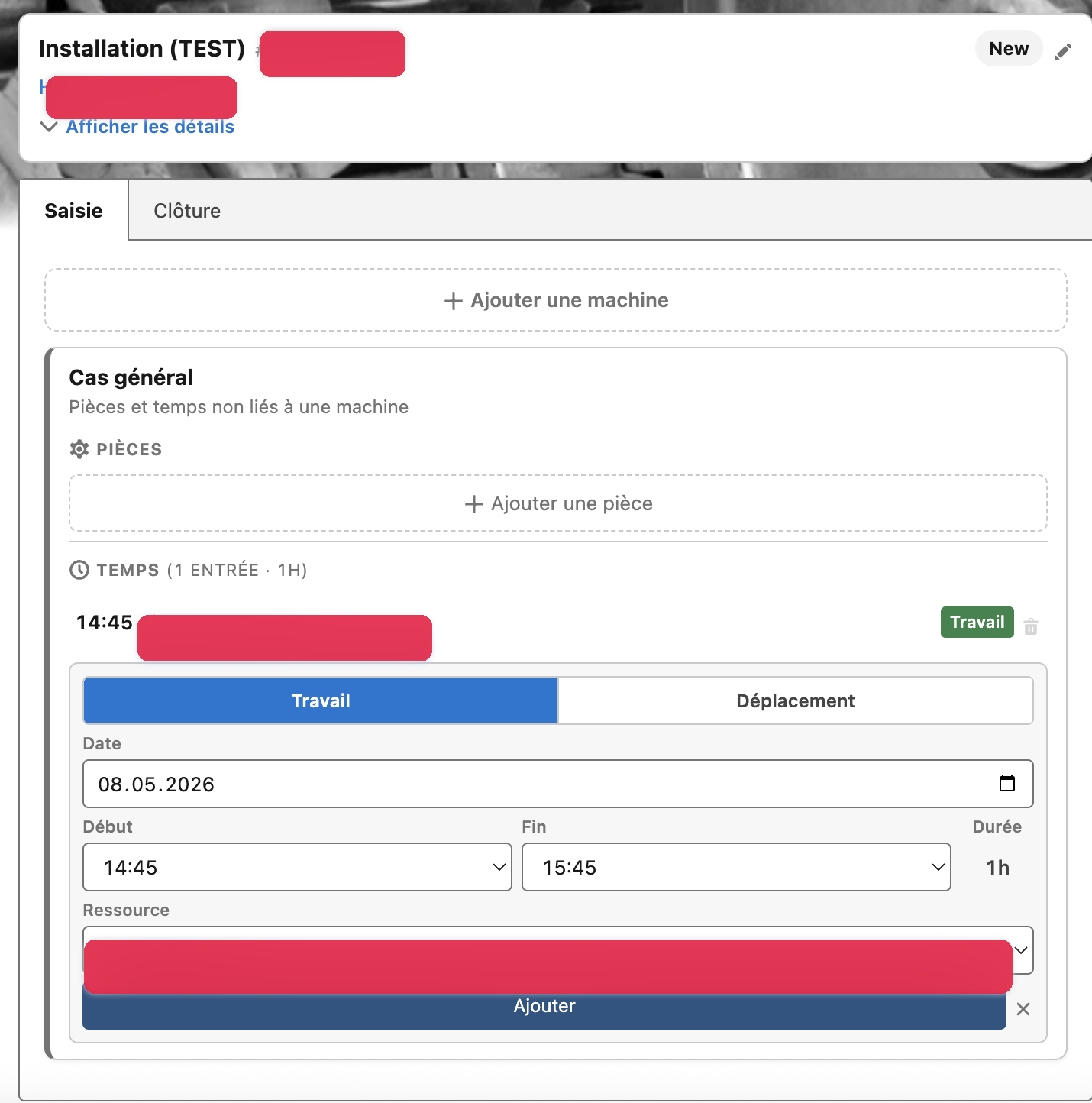
Two tabs. The technician’s real job at the top. Time, machines and parts where their thumb already is. Same Salesforce data — a completely different experience.
- Tap-friendly, mobile-first, one job per screen
- Time entry in 3 fields, not 8
- Machines and parts attached without leaving the page
- Built in a sandbox, reviewed by an admin, shipped in days
Both screens read from the same Salesforce objects. The difference is what we let through the funnel.
What unlimited really means
If budget weren’t the limit, this is what you’d ship.
Salesforce gives you the platform. Agent-led development gives you the speed. Headswap gives you the taste — what to build, what to skip, what to put first.
One screen per task, not one screen per object
Standard Salesforce shows everyone everything. We hide the 80% no one needs and put the next-best action where the eye lands.
Mobile-first, even on desktop
Field, sales and service teams work on their phones. The screen they actually want is a tappable, focused, fast workflow — not a spreadsheet.
Documents that generate themselves
Quotes, handover packs, intervention reports, renewal summaries, contracts. From CRM data, in one click, with the right signatures and translations.
Zero copy-paste between systems
Salesforce ↔ Word, email, Excel, ERP. Anywhere your team retypes the same data twice is a workflow we can remove.
LWCs and Flows shipped in days
Lightning Web Components, Flows, Apex, validation rules, permission sets — all on a sandbox-first review loop with reviewable diffs.
Release guardrails, not slowdowns
Sandbox-first, automated tests, admin review, governed deploys. Speed without surprises.
The Claude Code moment
The platform makes the agents safer.
Salesforce is not just a place where AI agents work. It’s the reason the work they do is safe.
Sandboxes, validation rules, permission sets, automated tests, source-driven deploys — the platform forces every change through a review and rollback path. When an agent drafts an LWC, a Flow or an Apex class, it has to pass the same gates a human change would. The platform makes the speed-up safe.
That’s why our throughput jumped 10x without our defect rate moving. The agents got faster. The guardrails stayed the same.
One concrete change. One workflow. One screen.
LWC, Flow, Apex, permission sets — written, tested, screenshotted.
Pull request, sandbox link, before/after screenshot, test output.
No shortcuts. Same governance the platform always required.
Searchable use cases
Where unlimited Salesforce pays off first
Pick the one that wastes the most time first. Each one is concrete enough to recognise on Monday morning.
Reduce Salesforce clicks
Teams avoid Salesforce when common tasks require too many tabs, fields, modals, and half-remembered process rules.
See the workflow →Build mobile Salesforce workflows
Field, sales, and service teams need Salesforce on phones, but desktop-first screens make mobile work slow and error-prone.
See the workflow →Generate quotes and documents
Teams copy Salesforce data into Word, email, PDF templates, and spreadsheets, then manually check whether the details still match.
See the workflow →Draft client follow-ups
Good follow-ups require CRM context, meeting notes, email history, and the right tone. That makes them slow, so teams delay or simplify them.
See the workflow →How we set this up.
A short, concrete kickoff. We meet your admin and your stack — then ship one improvement live, end-to-end, before we promise the next ten.
Map the Salesforce backlog
What people actually avoid clicking. What admins postpone every quarter.
Set up sandbox, GitHub and agent workspace
Salesforce CLI, source control, agent permissions, scratch orgs.
Ship one improvement live
LWC, Flow, document, mobile screen — reviewable diff, sandbox preview, tests.
Open the backlog
Once the loop is proven, the rest of the backlog moves at agent speed.
Bring us the screen your team avoids.
We’ll prototype the Headswap version on a sandbox, with a reviewable diff and a real before/after — no commitment beyond the workshop.